One wallet.
Every card.
One tap.
Add your bank cards to Taprail and pay by holding your phone to any contactless terminal. No card to carry around.





Be among the first to pay by phone in Nigeria.
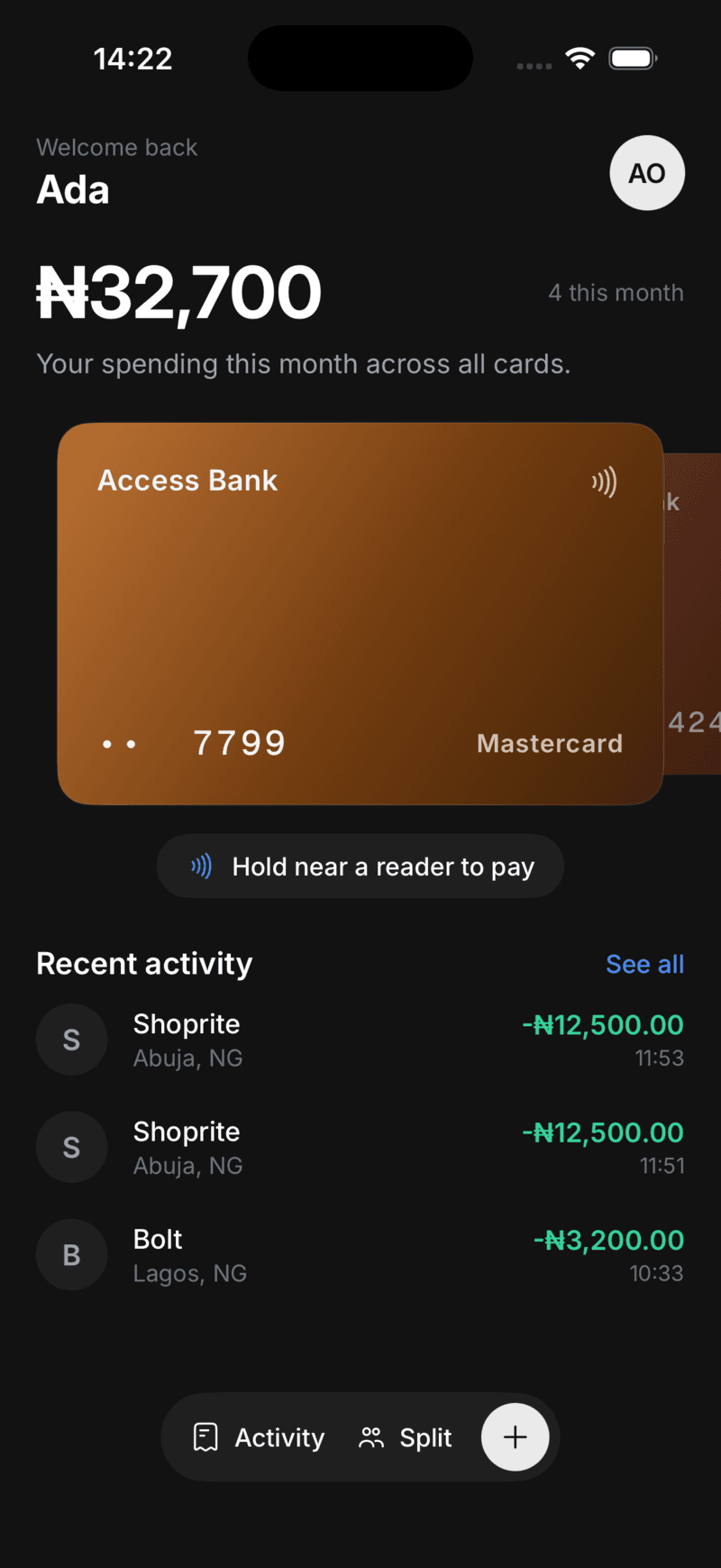

Add cards from any Nigerian bank

























Why tap to pay
Your phone, instead of a pocket full of cards
With cards
- Carry a different card for each bank
- Lose a card, call the bank, wait for a new one
- Hand your card to a stranger at the till
- Dig for cash when a terminal is down
With Taprail
- Hold every card in one app and pick one per tap
- Freeze a card from your phone, unfreeze when it turns up
- Tap your phone; your real card number is never shared
- Pay by phone wherever contactless is accepted
How it works
From card to tap in three steps
Add your cards
Add your Nigerian debit or credit card once. Taprail creates a virtual card to pay with, so your real card number stays with your bank.
- Works with Nigerian cards
- Your real number stays private
- Set up once
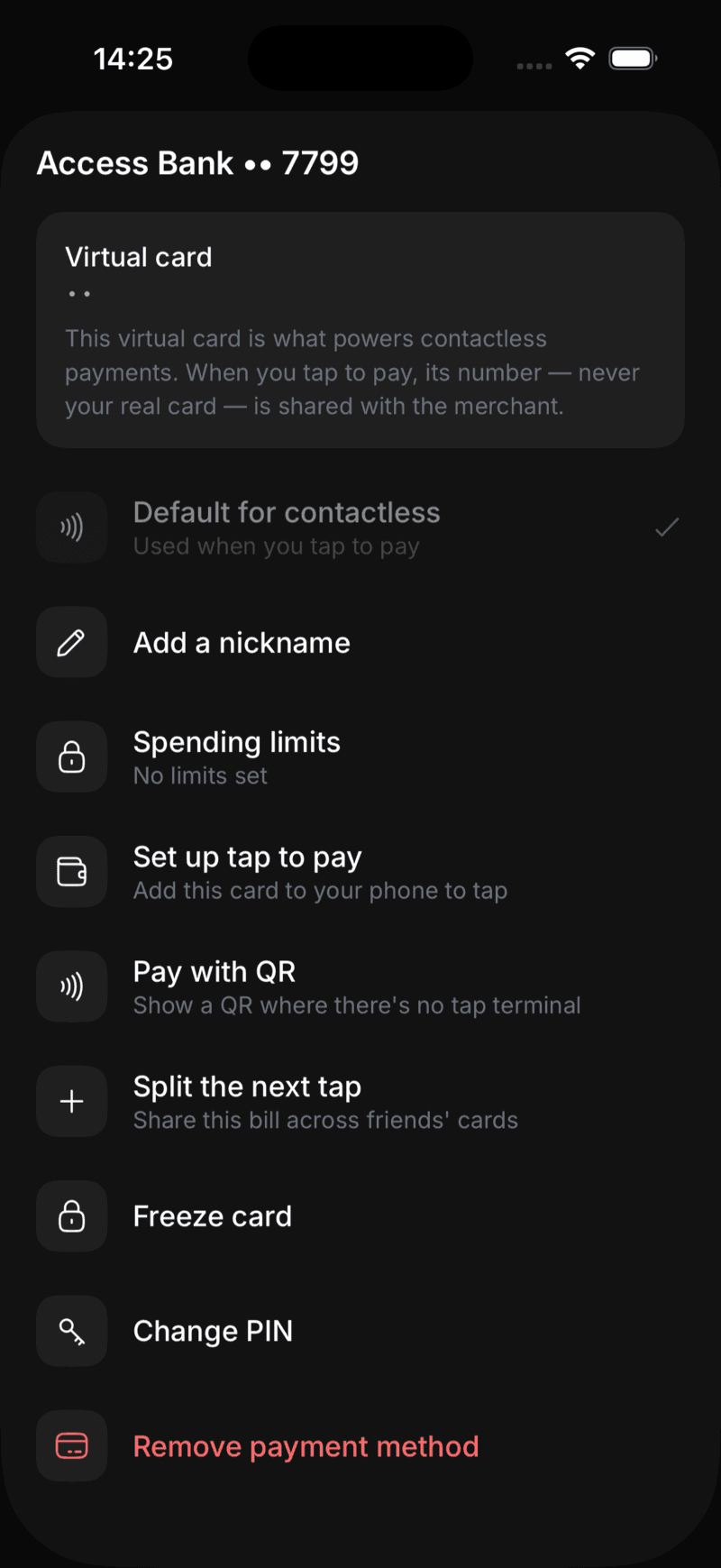
Tap to pay with the card you choose
Pick the card you want to use and hold your phone to the reader. Switch cards whenever you like, or freeze one if your phone goes missing.
- Hold your phone to the reader
- Freeze or unfreeze a card
- Choose a card for each payment
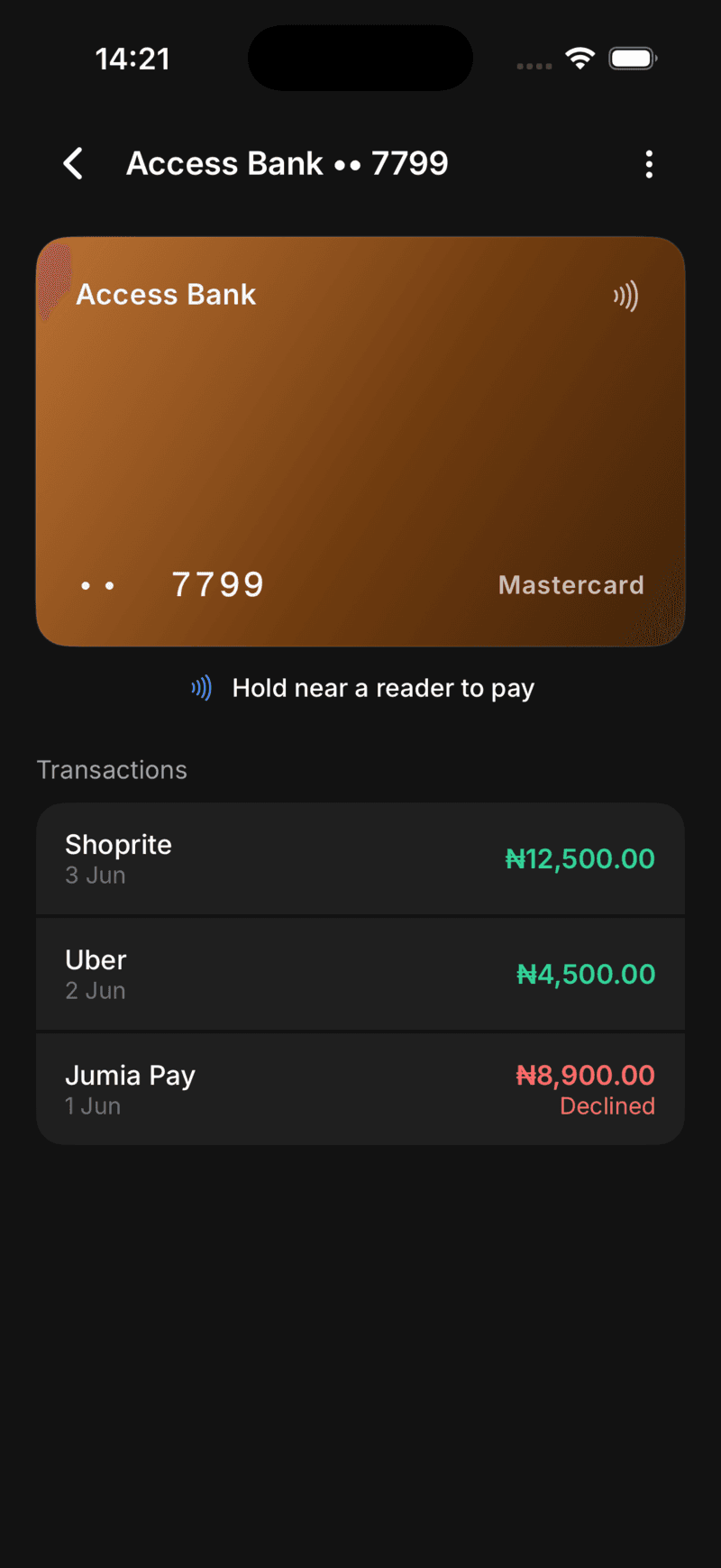
Track every kobo
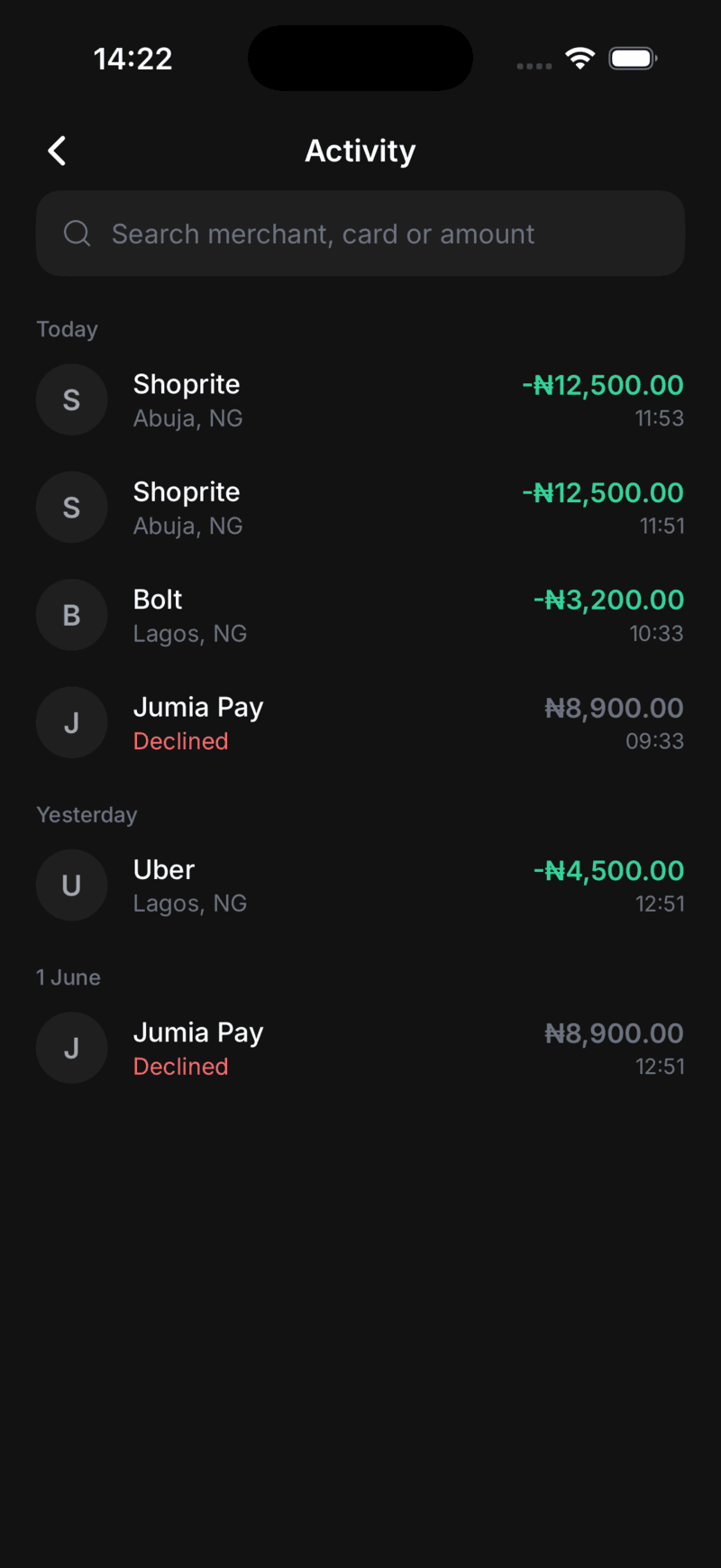
Every payment shows up in your activity feed, grouped by day and searchable, with approvals and declines clearly marked.
- Spend tracked for you
- Search by merchant or amount
- A record of every payment
Features
Everything your cards do, without the cards
Taprail keeps your cards on your phone, with a few controls a physical wallet can't give you.
Tap to pay
Hold your phone to any contactless terminal to pay.
Your cards in one place
Keep your bank cards together and choose which one to pay with.
Freeze a card
Freeze any card from the app, and unfreeze it just as easily.
See your spending
This month's spend and every payment, grouped by day.
Locked to you
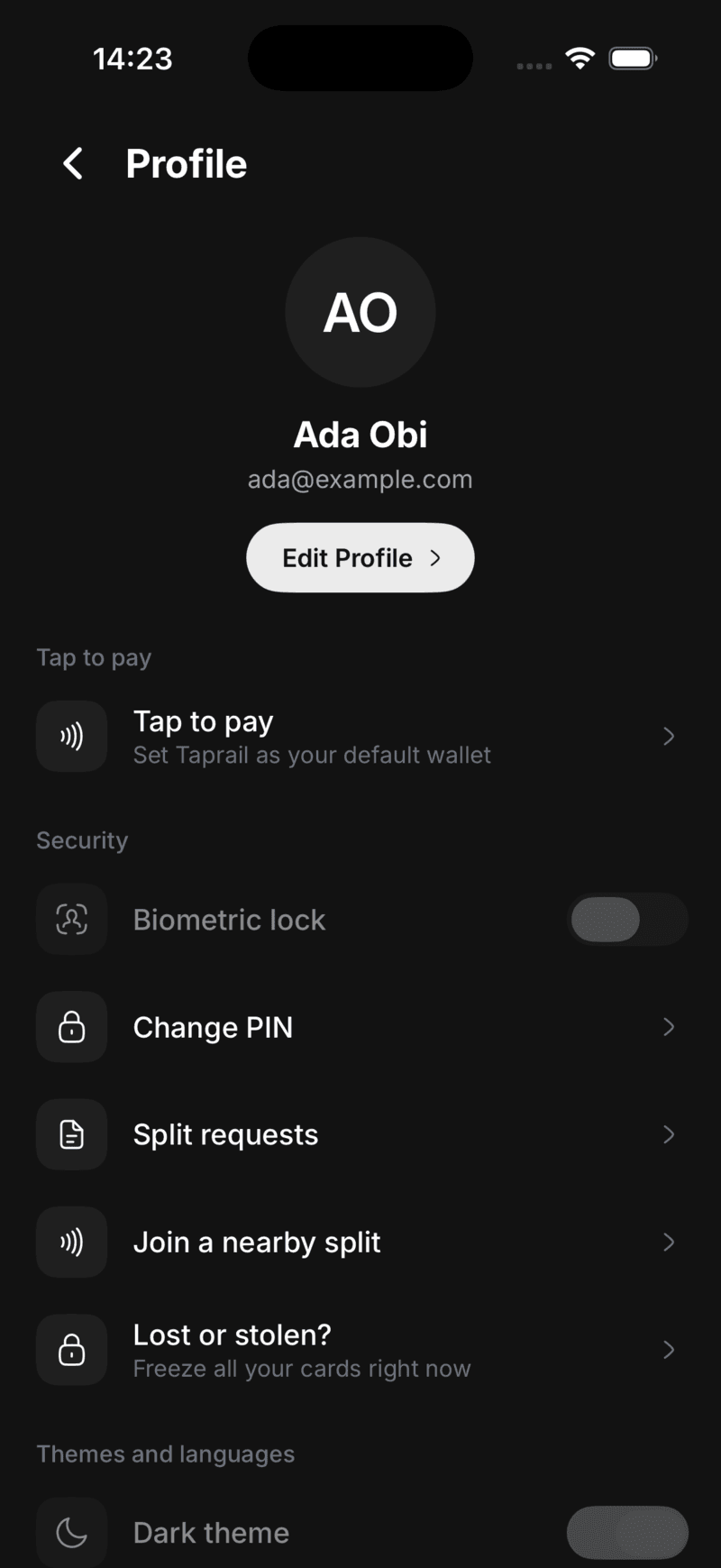
Open the app with Face ID or fingerprint, with a PIN as backup.
Split a bill
Share a bill with friends nearby so everyone pays their share from their own card.
Settle up without the awkward maths
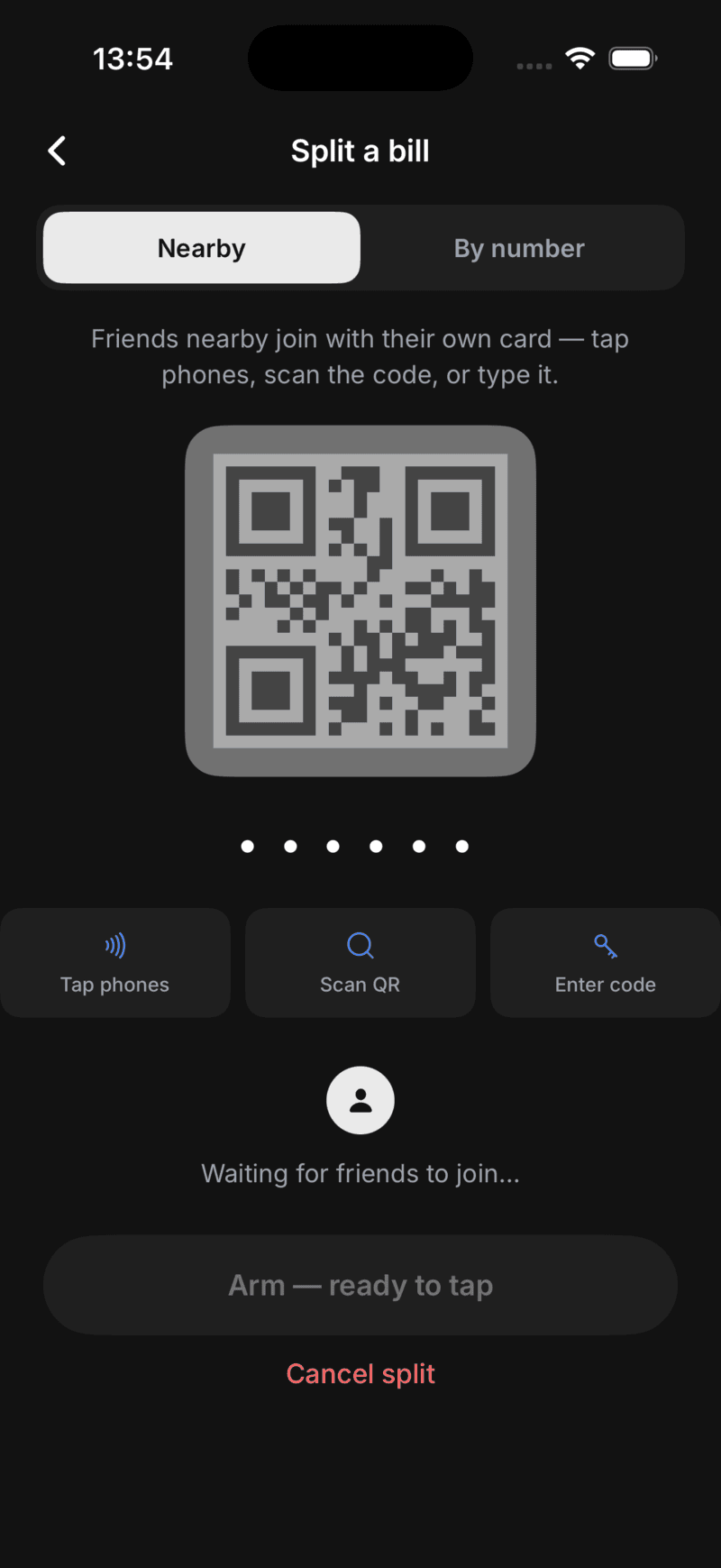
Out with friends? Start a split, let everyone join from their own phone, and each person pays their share with their own card.
Tap phones
Friends nearby tap their phone to yours to join the split, no numbers needed.
Scan a code
Share a QR code or short code for anyone to join the split.
Even or custom
Split the bill evenly or by percentage, then everyone pays with their own card.
Security
Lose your phone, not your money
If you misplace your phone, your cards stay locked behind your Face ID or PIN, and you can freeze any of them once you log back in.
Your card number stays with your bank
Every card you add is backed by a virtual card, so merchants and terminals never see your real card number.
Face ID or PIN to open
Open the app with Face ID or fingerprint, with a PIN as backup. Nobody else can get into your wallet.
Freeze a card anytime
Freeze a card from your phone whenever you need to, and unfreeze it just as easily.
Authorised by your bank
Each payment is approved by your bank, the same as paying with the card itself.
How it keeps you safe
What happens when you tap
Four things stand between a tap and your money. Here is each one.
You add a card
Your card is tokenised by our payment partners. Taprail keeps a secure token, never your full card number.
A virtual card pays
Each tap uses a virtual card. The merchant and terminal see that, not the real card sitting with your bank.
Only you can open it
Your wallet is locked behind Face ID or fingerprint, with a PIN as backup. A lost phone stays locked.
Your bank approves it
Every payment is authorised by your bank, the same as using the card itself, and lands in your activity.
Made for Nigeria
In the language you think in
Use Taprail in English, Yorùbá, Hausa or Igbo, whichever you prefer.

Welcome
English

Ẹ ku àbọ̀
Yorùbá

Sannu
Hausa

Nnọọ
Igbo
FAQ
Questions, answered
Is Taprail safe to use?
Yes. Every card you add is backed by a virtual card, so merchants never see your real card number. Your wallet is locked behind Face ID or a PIN, and every payment is authorised by your own bank.
Which banks and cards does it work with?
Taprail works with debit and credit cards from any Nigerian bank. You add the cards you already have, no need to open a new account.
What will it cost?
Joining the waitlist is free. We will share clear pricing before launch, and you will always see any fee before you are charged.
Which phones does it work on?
Taprail is built for iPhone and Android phones that support contactless payments. We ask which one you use when you join the waitlist so we can let you know when your version is ready.
What happens if I lose my phone?
Your cards stay locked behind your Face ID or PIN. You can also freeze any card once you sign in again on another device.
When does it launch?
Soon, in Nigeria. We are opening it up to a first group of users. Join the waitlist and we will email you the moment it is ready.
Leave your cards
at home.
Taprail is launching soon in Nigeria. Join the waitlist and we'll email you when it's ready to download.